Shipping Net: Export and Import Document Management System
About the project
Shipping Net is an internal web app for a major Indonesian FMCG manufacturer. It runs the paperwork behind every international shipment. The company exports finished products and imports raw materials, and each shipment needs a dozen or more documents. They come from different teams, government agencies and outside partners, and they all have to match each other and be ready before the cargo moves.
Before Shipping Net, this work lived in spreadsheets, email threads and shared folders. Nobody had one place to see whether a shipment had everything it needed. Shipping Net gives each shipment one order record. Every document hangs off that order, and every person involved can see what's done, what's missing and who is holding it up.


The business process
The app has three main flows, plus master data that all of them share.
1. Export
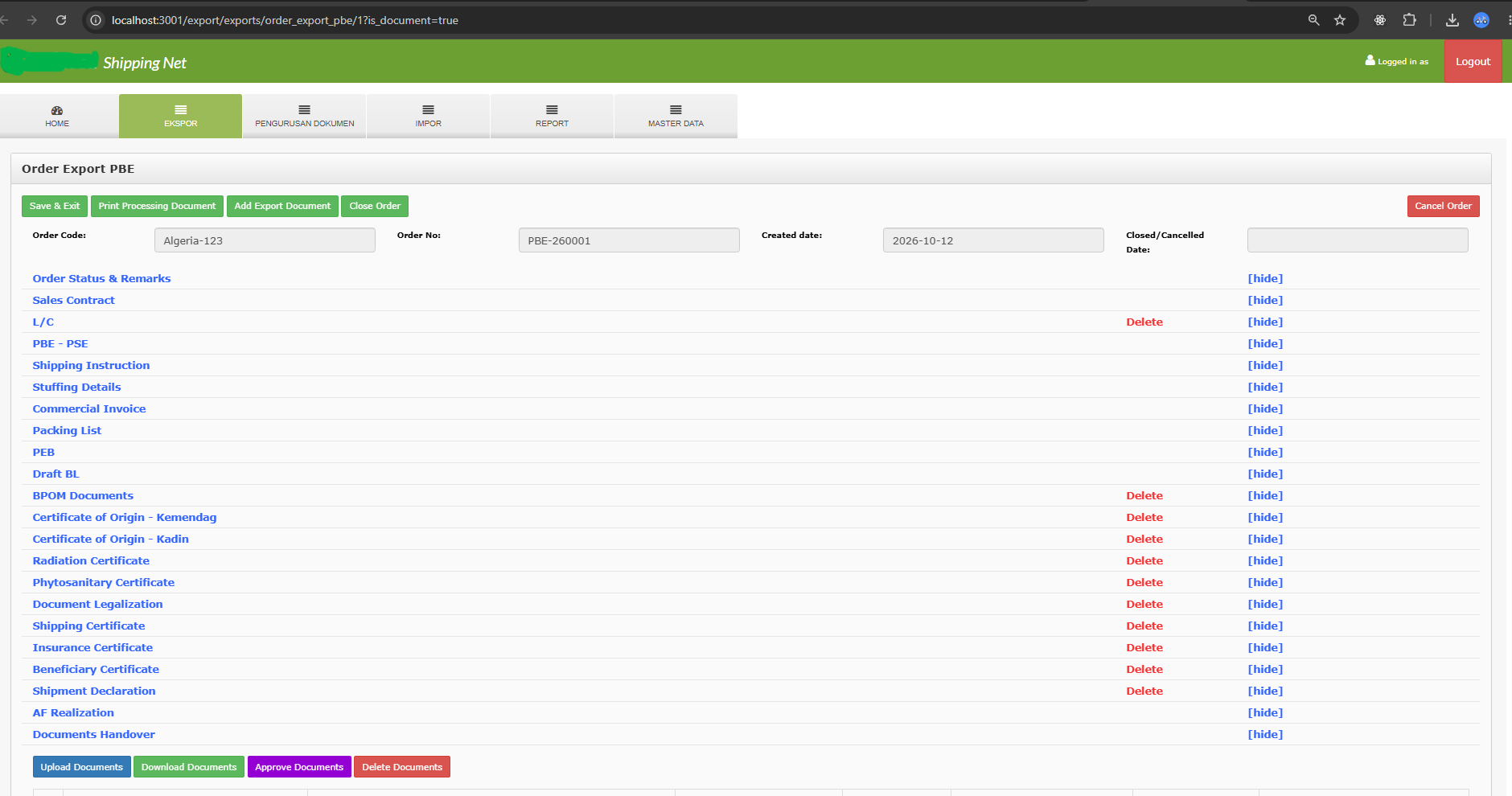
An export order starts from a sales contract with a foreign buyer. There are two kinds of export order: one that goes through an internal goods request (PBE), and a simpler one without it (PPS). From there the system walks the order through the documents a shipment needs:
- Commercial documents: sales contract, commercial invoice, packing list, letter of credit
- Shipping: shipping instruction, choosing a forwarding agent with freight rate approval, stuffing details, draft bill of lading, actual arrival time
- Customs: the export declaration (PEB), including the KITE facility for re-exported materials
- Certificates: certificate of origin (Ministry of Trade and KADIN), certificate of analysis, health/BPOM documents, phytosanitary, radiation, insurance, shipping and beneficiary certificates
- Legalization and handover: document legalization and the handover of physical hard copies to the bank or buyer
Much of the data is the same from one document to the next. Buyer, items, quantities and container numbers turn up again and again. The system copies it forward, so a packing list starts from the sales contract and the goods request instead of being typed again. That removed a whole class of mismatch errors between documents.
2. Import
An import order starts from purchase order lines, uploaded from Excel. It follows the goods from the supplier to the warehouse:
- Freight rate approval for the forwarder
- The import declaration (PIB/PIBK) with item, container and tariff (HS code) data
- Permits from regulators: BPOM import certificates (SKI), quarantine documents including halal, customs documents
- A correction table for when declared data needs fixing, with an approval sequence
- Delivery order, cargo delivery to the warehouse, goods receipt
- Claims for damaged or short cargo, and insurance claims
- A quota control card ("kartu kendali") that tracks how much of an import permit's quota has been used
The system also tracks dwelling time, meaning how long cargo sits at the port. It measures this against SLA targets, because every extra day at the port costs money.
3. Document handling (PLD)
Some regulatory documents aren't tied to one shipment, such as product registrations with BPOM. They have their own order type. A requester submits a form, the document team reviews it and either approves or rejects it, and the work is tracked with the same status and SLA rules as shipments.
Across all flows
- Statuses and locking. An order is active, closed or cancelled. Once it's closed or cancelled, the model layer rejects any edit to its documents.
- Approvals. Freight rates, forms and correction tables go through approval steps. A dashboard lists what's waiting for the logged-in user.
- Email notifications. About 40 notification types tell the next person when it's their turn: document uploaded, form submitted or rejected, freight rate needs approval, order closed. Recipients come from editable email templates and role mappings, not from hard-coded addresses.
- SLA tracking. Each document type has a target turnaround, and the dashboard flags orders that are running late.
- Cash advance reconciliation. Each order pulls in its cash advance requests (PUM) and their settlement reports (LRA) from the finance system. An order can't be closed while any advance is still open.
- Role-based access. Permissions are set per module, per submodule and per action, and mapped to departments.
Scale
- 207 models: about 35 master tables and 170 transaction tables
- 5 modules and 70+ controllers
- In production use and maintained since 2015
What I'd point out to a reviewer
The hard part wasn't any single screen. It was modeling how documents depend on each other. For example, the invoice needs the contract, and the bill of lading needs the shipping instruction and the stuffing data. The system had to make sure data entered once flows correctly into every document that uses it. Regulations kept changing over the years, so most rules live in master data (templates, SLAs, document types per item, email recipients) and not in code. That way the operations team can adjust them without a deploy.